Perception & Cameras
Sensor payloads: point clouds, detected objects, and camera streams.
LiDAR Point Cloud
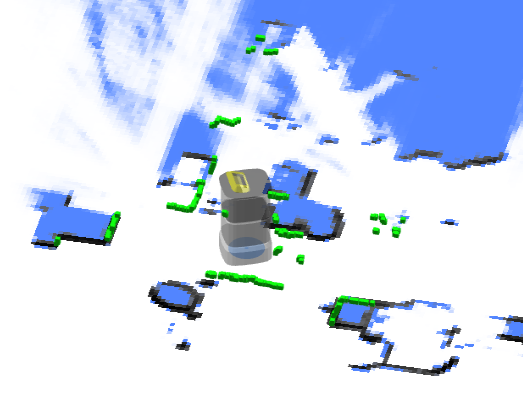
Point Cloud Used for SLAM
The combined point cloud from one or more LiDAR devices (if any) used for SLAM. The coordinates are in the world frame.
{
  "topic": "/scan_matched_points2",
  "stamp": 1653302201889,
  "points": [
    [7.83, 3.84, 0.04],
    [7.8, 3.88, 0.04],
    [7.79, 4.14, 0.04]
    ...
  ]
}
Point Cloud for Individual LiDAR Devices
Since 2.12.0
This topic is used to debug individual LiDAR devices. The coordinates are in the world frame.
Commonly used topic names include:
/horizontal_laser_2d/matched
/left_laser_2d/matched
/right_laser_2d/matched
/lt_laser_2d/matched (left top)
/rb_laser_2d/matched (right back)
{
  "topic": "/horizontal_laser_2d/matched",
  "stamp": 1741764468.939,
  "fields": [
    {
      "name": "x",
      "data_type": "f32"
    },
    {
      "name": "y",
      "data_type": "f32"
    },
    {
      "name": "z",
      "data_type": "f32"
    },
    {
      "name": "intensity",
      "data_type": "f32"
    }
  ],
  "data": "QphAQHPLmkHDpvk/xcTEPk+RQED22ppBp6..." // Base64-encoded binary data.
}
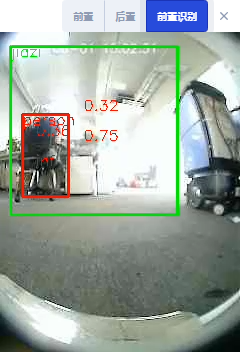
Vision Detected Objects
Warning
Experimental Feature
enum VisualObjectLabel {
  none = 0,
  person = 1, // Person
  platformHandTruck = 2, // Platform hand truck
  scaffold = 3, // Scaffold
  queueStand = 4, // Queue stand
  portableGrandstand = 5, // Portable grandstand
}
{
  "topic": "/vision_detected_objects",
  "boxes": [
    {
      "pose": { "pos": [0.32, 0.97], "ori": 0.0 }, // Object position and orientation.
      "dimensions": [0.0, 0.0, 0.0], // Object width, length, and height.
      "value": 0.8005573153495789,
      "label": 1 // VisualObjectLabel
    },
    {
      "pose": { "pos": [0.63, 1.08], "ori": 0.0 },
      "dimensions": [0.0, 0.0, 0.0],
      "value": 0.5348057150840759,
      "label": 1
    },
    {
      "pose": { "pos": [0.51, 0.74], "ori": 0.0 },
      "dimensions": [0.0, 0.0, 0.0],
      "value": 0.41888049244880676,
      "label": 1
    }
  ]
}
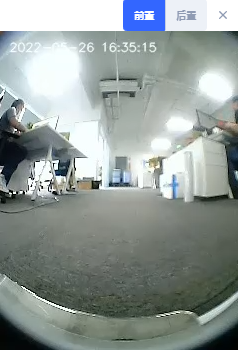
RGB Video Stream
H.264-encoded data stream.
{
  "topic": "/rgb_cameras/front/video",
  "stamp": 1653303702.821,
  "data": "AAAAAWHCYADAAb5Bv4yqqseHIsjRwL5E4C4uX/CmRcXVaxddV3zf5uZO..."
}
Tips
For browsers or Node.js, the stream can be decoded using jmuxer. Use flushingTime: 0 to minimize delay.
this.jmuxer = new JMuxer({
  node: myNativeElement,
  mode: "video",
  flushingTime: 0,
});
Current topics (may vary by device):
/rgb_cameras/front/video/rgb_cameras/back/video/rgb_cameras/front_augmented/video: Augmented video stream for debugging vision-based object detection.
RGB Image Stream
JPEG-encoded image stream.
Tips
Image stream is considerably larger than H264 video stream. For internet, please use video stream.
{
  "topic": "/rgb_cameras/front/compressed",
  "stamp": 1653303702.821,
  "format": "jpeg",
  "data": "YXNkZmFzZndlcndldHNhZGZhc2Rmd2V0cjJ5NDVqdHltNDU2..."
}
Currently topics: (Different devices may differ)
/rgb_cameras/front/compressed/rgb_cameras/back/compressed
Depth Camera Images
Since 2.12.0
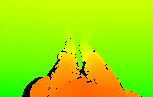
{
  "topic": "/depth_camera/downward/image",
  "size": [160, 100],
  "data": "iVBORw0KGgoAAAANSUhEUgAAALYAAAA7BAAAAA..." // Base64-encoded PNG file.
}
Commonly used topic names include:
/depth_camera/downward/image
/depth_camera/upward/image
/depth_camera/forward/image
External RGB Camera Data
If the robot is not equipped with built-in RGB cameras, external cameras can be installed to feed data back to the robot. This allows monitoring and vision-based functions to remain operational.
Control Channel
Upon receiving this topic, the peripheral device should:
- Open the corresponding cameras
- Set required resolution and FPS
- Send data back through the data channel
{
  "topic": "/external_rgb_camera_control",
  "enabled_devices": [
    {
      "name": "Front Camera",
      "width": 320,
      "height": 240,
      "fps": 5,
      "external_data_topic": "/external_rgb_data/front"
    }
  ]
}
Data Channel
Use this channel to send RGB data to the robot.
{
  "topic": "/external_rgb_data/front", // The topic, specified in the control channel's `external_data_topic`
  "format": "jpeg", // must be jpeg
  "stamp": 1655896161.012, // The timestamp of the image
  "data": "Aasdfwe3424..." // base64 encoded JPEG data
}